Overview
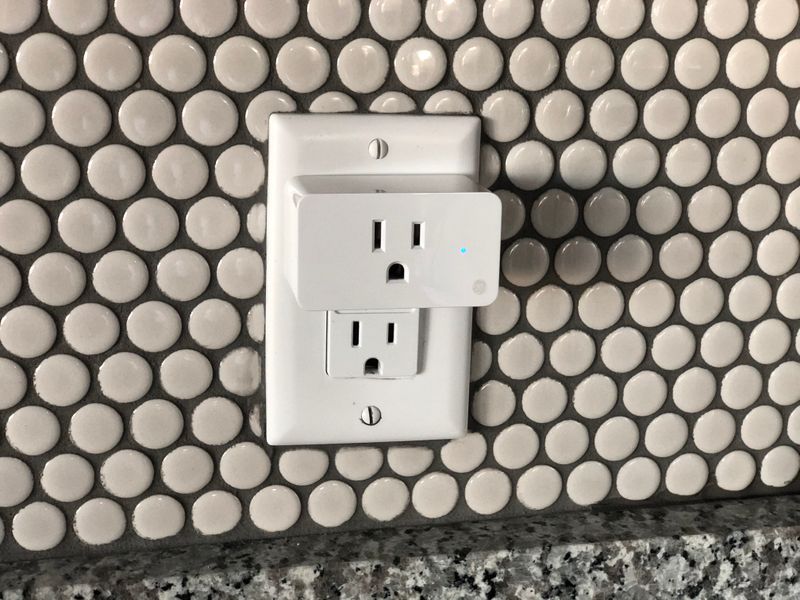
ESP32-based smart plugs are everywhere — Sonoff, Tuya, Teckin — and they all run the same cheap WiFi chip. Flash the stock firmware with Tasmota or ESPHome, and you turn a $12 smart plug into a fully programmable power controller. No cloud subscription, no app dependency, no data harvested by a company you've never heard of.
This is the gateway hack. If you've never touched a microcontroller, start here. You'll learn serial flashing, MQTT messaging, and basic automation — skills that carry straight into every other build in the corral.
What You Bring
The kit includes the flashing hardware and automation bridge. You supply:
- ESP32-based smart plug — Sonoff S31, Tuya-compatible, or any ESP8266/ESP32 plug (check the Tasmota compatibility list)
- Computer with USB port — for serial flashing (Windows, Mac, or Linux)
- WiFi network — 2.4GHz (5GHz not supported by ESP chips)
What's Included in the BYOB Kit
- USB-to-serial adapter (CP2102) with dupont wires
- Pry tool set for opening plug casings without damage
- Header pin strips (for plugs that need soldering)
- Quick-reference flashing guide card
- Complete source code, wiring diagrams, and setup documentation
Plug Takeover BYOB Kit
USB-to-serial adapter, pry tools, header pins, backup ESP32 module, and complete flashing guide. Turn any off-the-shelf smart plug into a fully programmable power controller.
$10 Get the BYOB KitThe Build
This isn't a hardware build — it's a firmware swap. You're replacing the manufacturer's cloud-dependent software with open-source firmware that you control completely. The plug hardware stays intact; the brain gets an upgrade.
Identify Your Plug's Chip
Open the plug casing with the pry tools. Look for the main IC — you want an ESP8266 or ESP8285 (most common in Tuya devices) or an ESP32. If you see a Beken BK7231 or similar, that's a newer non-ESP chip and needs different firmware (OpenBeken). Check the Tasmota device template repository to confirm compatibility.
Photograph the PCB before touching anything. Note the GPIO pin assignments — the relay, LED, and button are wired to specific pins that you'll need to configure in firmware.
Wire the Serial Connection
Connect the USB-to-serial adapter to the plug's serial pads: TX to RX, RX to TX, GND to GND, and 3.3V to 3.3V. Do NOT connect 5V — ESP chips run on 3.3V logic and 5V will fry them permanently.
Hold the GPIO0 button (or bridge GPIO0 to GND) while powering on to enter flash mode. The LED should stay dim or off — that means the chip is waiting for firmware.
Flash Tasmota or ESPHome
For Tasmota: use the web-based installer at tasmota.github.io/install. Select your chip type, click connect, and flash. Takes about 60 seconds. For ESPHome: create a YAML config file, compile, and upload via esphome CLI or the dashboard.
After flashing, the plug creates its own WiFi access point. Connect to it, enter your home WiFi credentials, and the plug joins your network. Access the web UI at its IP address to configure the device template (tells the firmware which GPIO pins control the relay, LED, and button).
# ESPHome config (simplified)
switch:
  - platform: gpio
    pin: GPIO12
    name: "Smart Plug Relay"
# ... full config in project files
Set Up Automation
With Tasmota, use MQTT to send commands from any device on your network. Toggle the relay, read power consumption (if the plug has a power monitoring chip like HLW8012), set timers, or create rules that trigger based on power thresholds.
With ESPHome, integrate directly into Home Assistant for a full GUI, or use the REST API for custom scripts. Schedule appliances, create power monitoring dashboards, or chain multiple plugs into automation sequences.
Reassemble and Deploy
Snap the case back together, plug it in, and verify the relay toggles from your phone or computer. Test the physical button still works as a manual override. Set up your first automation — a lamp that turns on at sunset is the classic starter.
Once you've got one working, flash more. A house full of locally-controlled smart plugs with zero cloud dependency is the kind of infrastructure that makes every other build in the corral easier.
Project Files — Included with BYOB Kit
Complete source code, wiring diagrams, and documentation. Enter your kit code to unlock.
Don't have a code? Get the kit — code included in every box.