Overview
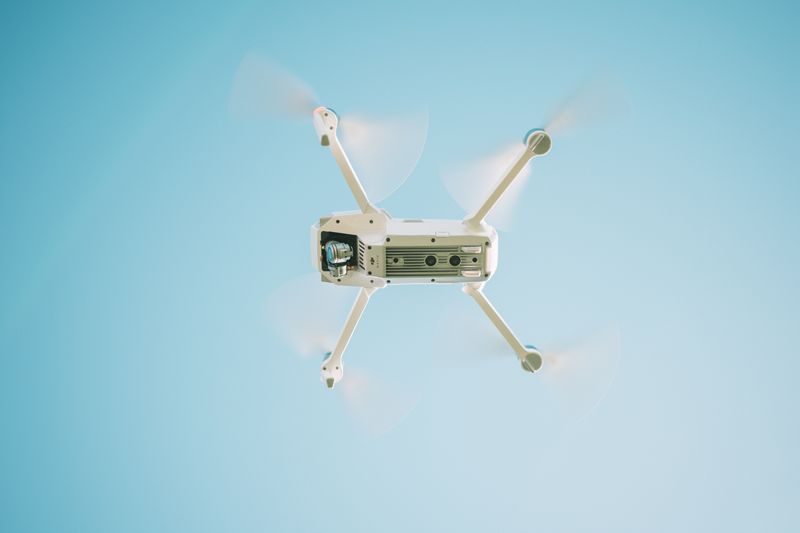
Replace the stock flight controller on a cheap quadcopter frame with a custom board running ArduPilot or Betaflight. Add GPS for waypoint missions, a downward-facing camera for precision landing, or forward-facing computer vision for obstacle courses. Off-the-shelf drones are locked down; this one does what you tell it.
This is the most complex build in the Toys & RC category. You'll learn PID tuning for flight stability, GPS navigation, and real-time computer vision — skills that transfer directly to professional drone development.
What You Bring
The kit includes the flight controller, GPS, and vision hardware. You supply:
- Quadcopter frame — 250mm or 450mm class (F450 clone recommended for beginners)
- Brushless motors — 4x, matched to your frame size (2212 for 450mm, 2205 for 250mm)
- ESCs — 4x electronic speed controllers (30A for 450mm class)
- LiPo battery — 3S or 4S, 2200mAh+ (XT60 connector)
- RC transmitter and receiver — 6+ channel, 2.4GHz (for manual override and safety)
- Propellers — matched to motor size, bring spares
What's Included in the BYOB Kit
- Flight controller board (STM32-based, ArduPilot compatible)
- GPS module (u-blox NEO-M8N) with compass
- Downward-facing camera module for precision landing
- Telemetry radio pair (433MHz, for ground station link)
- Power distribution board with voltage/current sensor
- Vibration dampening mount for flight controller
- Complete source code, wiring diagrams, and setup documentation
What You Bring
The Full Send Kit includes all electronics and hardware. You supply:
- LiPo battery — 3S or 4S, 2200mAh+ (XT60 connector)
What's Included in the Full Send Kit
- F450 quadcopter frame (450mm class)
- 4x 2212 brushless motors (matched and tested)
- 4x 30A electronic speed controllers
- 6-channel RC transmitter and receiver (2.4GHz)
- Propeller sets (2x, matched to motors)
- Flight controller board (STM32-based, ArduPilot compatible)
- GPS module (u-blox NEO-M8N) with compass
- Downward-facing camera module for precision landing
- Telemetry radio pair (433MHz, for ground station link)
- Power distribution board with voltage/current sensor
- Vibration dampening mount for flight controller
- Complete source code, wiring diagrams, and setup documentation
The Build
You're assembling a drone from components and programming it for autonomous flight. This is not a toy — LiPo batteries and spinning props demand respect. Follow every safety step. Test on the ground before you fly.
Assemble the Frame
Mount the motors on the frame arms, connect ESCs, and wire everything to the power distribution board. The PDB provides clean power to all four ESCs and the flight controller. Mount the flight controller on the vibration dampening plate in the center — orientation matters, the arrow on the board must point forward.
Flash and Configure ArduPilot
Connect the flight controller to your computer via USB. Flash ArduPilot firmware using Mission Planner (Windows) or QGroundControl (Mac/Linux). Configure motor order, ESC calibration, and accelerometer/gyro calibration. This is the most critical step — incorrect motor mapping means the drone flips on takeoff.
# Motor test (props OFF!)
# Mission Planner → Setup → Motor Test
# Verify each motor spins correct direction
# Motor A = front-right (CW)
# ... full configuration in project files
GPS and Compass Calibration
Mount the GPS module on a mast above the frame, as far from power wires and ESCs as possible (electromagnetic interference corrupts compass readings). Run the compass calibration dance — rotate the drone in all three axes until the progress bar completes. Verify GPS lock outdoors (need 8+ satellites for reliable navigation).
First Flight and PID Tuning
First flight is ALWAYS in Stabilize mode with a wide-open field and no people nearby. Take off to 2 meters, hover for 30 seconds, and land. If it wobbles or oscillates, adjust PID gains. The project files include baseline PID values for common frame sizes — start there and fine-tune.
Graduate to Loiter mode (GPS-assisted position hold) once basic flight is stable. Then try Auto mode with a simple waypoint mission — take off, fly to one point, return, and land.
Autonomous Missions
Program waypoint missions in Mission Planner. Define altitude, speed, and actions at each waypoint (take photo, hover for 5 seconds, change heading). Add the precision landing camera for automated RTL (return to launch) that lands within 10cm of the takeoff point using visual fiducial markers.
Project Files — Included with BYOB Kit
Complete source code, wiring diagrams, and documentation. Enter your kit code to unlock.
Don't have a code? Get the kit — code included in every box.