Overview
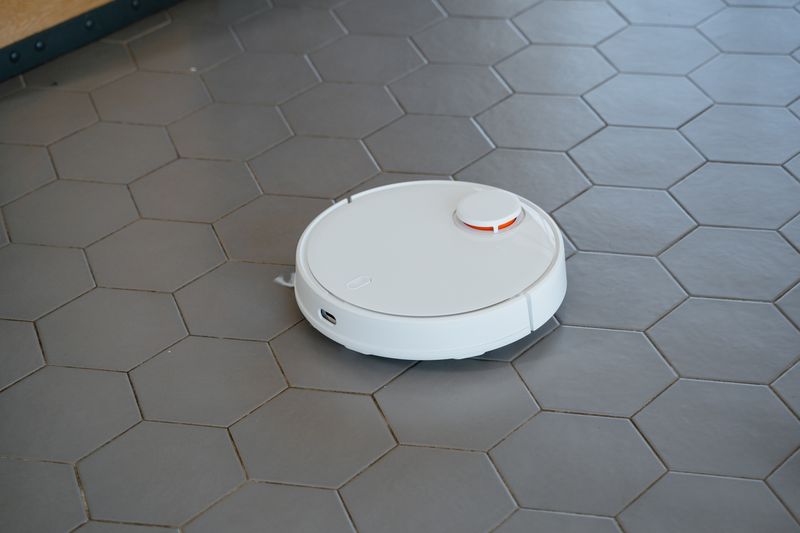
Modern robot vacuums from Roborock, Dreame, and Ecovacs pack LIDAR, bump sensors, cliff detection, and powerful drive motors into a polished package. The hardware is phenomenal — the firmware is the prison. Root it, flash custom firmware via Valetudo or DustBuilder, and you unlock raw sensor access, custom navigation, and zero-cloud operation.
This isn't a teardown — the vacuum stays intact. You're jailbreaking the software to access the hardware that's already there. Once rooted, you can program custom patrol routes, build competitive navigation challenges, or just run your vacuum without sending your floor plan to a server in Shenzhen.
What You Bring
The kit includes the rooting tools and custom firmware package. You supply:
- Compatible robot vacuum — Roborock S5/S6/S7, Dreame D9/L10/L20, or Ecovacs Deebot (check Valetudo compatibility list)
- Computer with USB port — for firmware flashing
- WiFi network — 2.4GHz
- Willingness to void a warranty — rooting is permanent on most models
What's Included in the BYOB Kit
- USB-to-UART adapter with custom cable for vacuum debug port
- Pre-built Valetudo firmware image (for your specific model)
- Pry tool set for accessing the debug port
- SD card with recovery image (brick protection)
- Custom navigation script templates
- Complete rooting guide, wiring diagrams, and setup documentation
Robo-Vac Rogue BYOB Kit
UART adapter, custom firmware, pry tools, recovery SD card, and navigation templates. Jailbreak your robot vacuum and unlock raw LIDAR and sensor access.
$15 Get the BYOB KitThe Build
You're accessing the vacuum's debug port, connecting via serial, and flashing custom firmware that replaces the cloud-dependent stack with Valetudo — an open-source local-only control interface. The vacuum keeps all its hardware capabilities but loses the corporate leash.
Identify and Access the Debug Port
Remove the top cover (usually 2-4 screws under the LIDAR turret cover). Locate the UART debug pads on the main board — they're typically labeled TX, RX, GND. Some models have a JST connector; others require soldering. The kit's pry tools and cable are matched to your specific model.
Connect the USB-to-UART adapter: TX to RX, RX to TX, GND to GND. Do NOT connect VCC — the vacuum powers its own board.
Flash Valetudo Firmware
Boot into the serial console and follow the model-specific rooting procedure. For Roborock, you'll use the dustbuilder tool to create a custom firmware package. For Dreame models, the process involves FEL mode boot. The project files include step-by-step scripts for each supported model.
Flashing takes 5-10 minutes. When complete, the vacuum reboots with Valetudo's web interface accessible at its IP address. No cloud account, no app, no data leaving your network.
Map Your Space
Run a full mapping cycle through Valetudo's web UI. The LIDAR builds a complete floor plan of your space. Define rooms, no-go zones, and virtual walls. This map data stays on the vacuum — compare that to the stock firmware sending your floor plan to cloud servers.
# Access raw LIDAR data via MQTT
import paho.mqtt.client as mqtt
client.subscribe("valetudo/robot/MapData")
# ... full LIDAR processing in project files
Custom Navigation Programs
With MQTT access to the vacuum's sensors and controls, you can program custom behaviors: security patrol routes that check every room on a schedule, competitive navigation challenges that race through waypoints, or utility patterns that vacuum in precise parallel stripes.
The project files include templates for patrol mode, zone cleaning sequences, and a waypoint racing script for competition.
Competition Setup
For arena navigation challenges, define a course with waypoints in the Valetudo map. The vacuum must hit each waypoint in sequence, avoid obstacles, and return to the dock. Fastest time wins. The raw LIDAR data lets you visualize the vacuum's path in real time for spectator display.
Project Files — Included with BYOB Kit
Complete source code, wiring diagrams, and documentation. Enter your kit code to unlock.
Don't have a code? Get the kit — code included in every box.